


For yourself
A second look before you act.
An unexpected payment request. An unfamiliar caller asking for an urgent decision. Rymaris360 is being designed to help you assess warning signs and choose your next step.
Explore protection for yourselfIntroducing Rymaris360
Tools in development to help you understand suspicious emails and calls—with clear information and privacy you control.
No payment at signup. Signup does not activate protection.
Rymaris360 is being developed for a phased rollout targeted for late 2026 through early 2027. Products and features will become available as development and testing are completed. When offered, initial beta access will cover selected capabilities; availability will vary by product and platform.
A closer look at Rymaris360

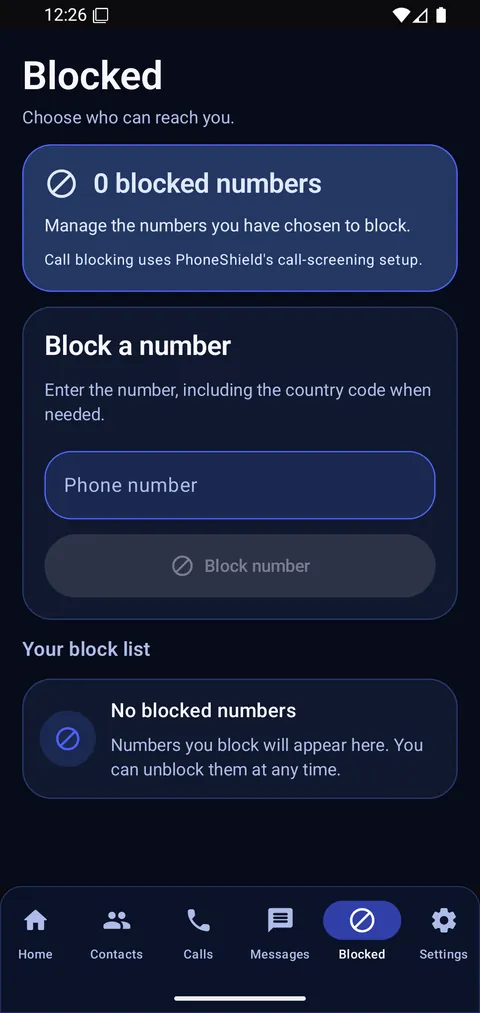
An empty number-blocking list. This screen does not demonstrate a call being blocked.
Explore all product previewsThe Rymaris360 lineup
Four complementary tools, released in phases as each is ready. Explore the product vision and current development status.
Inside the products
Actual product interfaces in development. Captions identify the platform and preview setup.
A standalone email app, separate from our Outlook add-in. This screen uses synthetic sample messages; no mailbox is connected.
Explore EmailShield
A backup and recovery console in development. This Home screen is not connected to a backup service, and no backup is running.
Explore BackupShieldInside Outlook
The Outlook add-in is being developed to put email checks beside your message. This preview shows its web task pane, ready for a manual check.
Development preview · Isolated web task pane
The actual interface is rendered in a browser test fixture with synthetic message data. Classic Outlook uses a separate integration; this preview does not demonstrate a live Outlook mailbox or background protection.
Explore the Outlook add-in
On your phone
Recorded screens from our iOS simulator and Android development builds. Features and setup differ by platform; captions state what each screen shows.
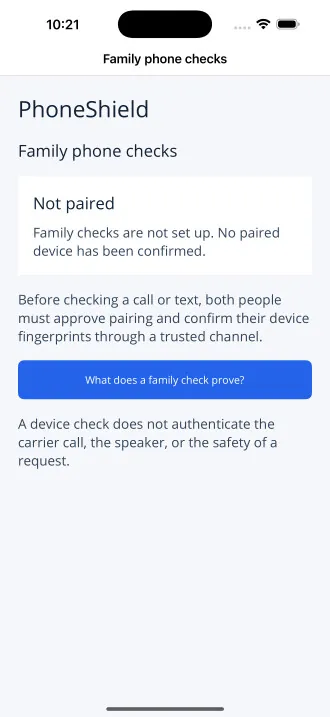
The family phone-check screen before devices are paired. Pairing and real calls are not demonstrated here; this is a different feature scope from Android.
Explore PhoneShieldThe number-blocking screen with an empty list. No personal numbers are shown, and this image does not demonstrate a call being blocked.
Explore PhoneShield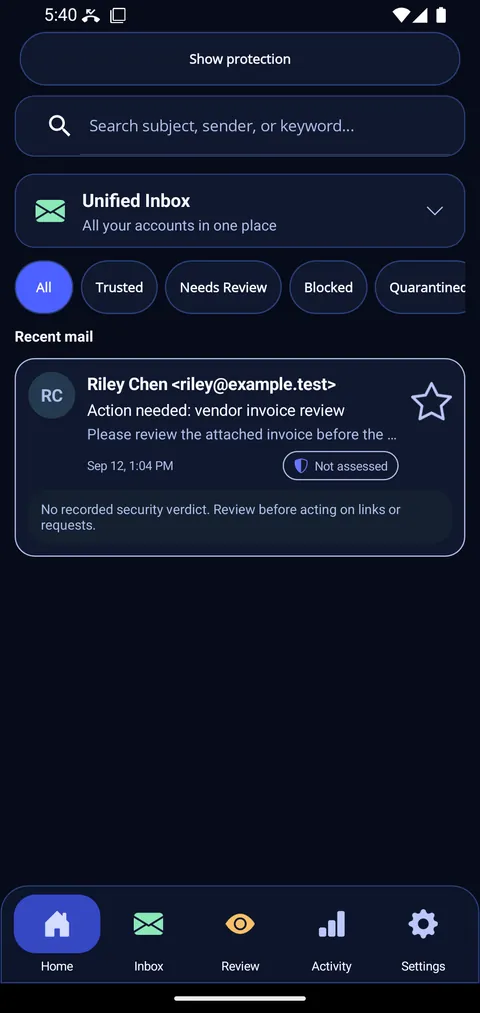
The expanded inbox with a synthetic test message marked “Not assessed.” This recorded screen does not demonstrate live mailbox sync or a security verdict.
Explore EmailShield
Our design commitment
We’re designing Rymaris360 so the person using protection chooses what to share and with whom. Paying for someone else’s protection does not give you access to their private emails or messages. They choose whether to share security alerts with you.
Explore privacy and controlEveryday situations
Everyday situations that guide our product design.
For yourself
An unexpected payment request. An unfamiliar caller asking for an urgent decision. Rymaris360 is being designed to help you assess warning signs and choose your next step.
Explore protection for yourself
For families
A relative asks for a second opinion about a suspicious message. Our design lets people choose support while keeping control of their private communications.
See our privacy approachIn everyday work
The same need for a second look can arise in the email you use for work. This is an example of personal use, subject to each product’s confirmed compatibility and features.
Check the current compatibility scopeWhere things stand
From early access to privacy, here are a few helpful answers.
All questions & answers
Early-access signup is open. Products and features are in development for a phased rollout targeted for late 2026 through early 2027. Availability will vary by product and platform; signup does not activate protection.
No. Payment does not give you permission to read your parent’s messages. The sharing design requires their separate, voluntary consent, a clear explanation of what you could see and a way to withdraw permission.
Supported devices, email services, versions and account types are not yet verified. Visit the compatibility page for the current scope.
Check compatibilityNo. A warning is a reason to pause and consider the evidence. A phone-number match alone does not prove wrongdoing.
Early access
For yourself, for people you care about, and for everyday situations at work. Join Rymaris360 early access.
Join early access